
How to Schedule an American Sign Language (ASL) Interpreter for your Appointments
Nourish supports American Sign Language (ASL) interpretation for your appointments through our trusted vendor, BoostLingo. This article walks you through how to pre-schedule an ASL interpreter so your deaf or hard-of-hearing patients receive equitable, high-quality care.
⏰ Important: To guarantee an interpreter, requests must be submitted at least 2 business days before your appointment. Plan ahead to ensure availability. If you need someone sooner, please reach out to support@usenourish.com
Overview
When you have a patient who is Deaf or hard-of-hearing, you can request a qualified ASL interpreter to join your appointment virtually. Here is how the process works:
You submit a pre-schedule request through BoostLingo.
BoostLingo's Language Access Team reviews your request and confirms it.
Once an interpreter is assigned, you will receive a confirmation.
At the time of your appointment, the interpreter joins via the provided link.
Step-by-Step: How to Request an ASL Interpreter
Step 1: Submit the BoostLingo Pre-Schedule Request Form
Fill out the BoostLingo Hub Pre-Scheduled Request Form at least 2 business days before your appointment. Please fill out the form following the below steps:
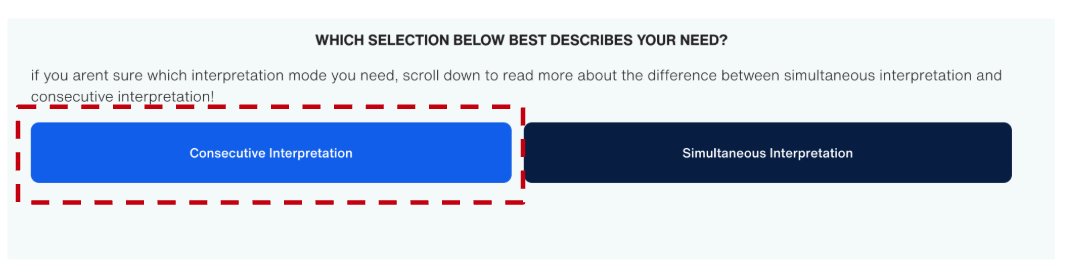
Select "Consecutive Interpretation"
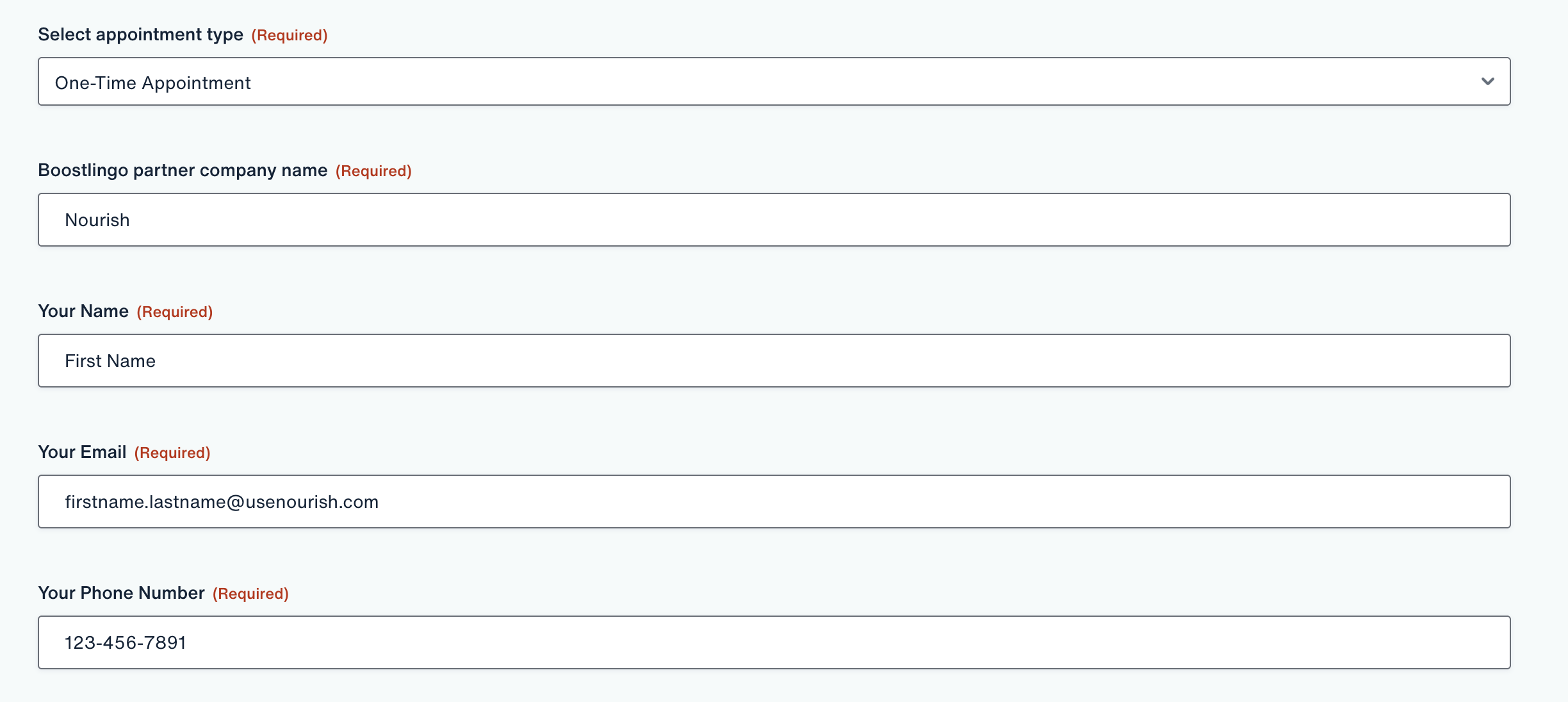
Select "One-Time Appointment" for Select appointment type
Type "Nourish" for Boostlingo partner company name
Provide your name, your Nourish email, and phone number
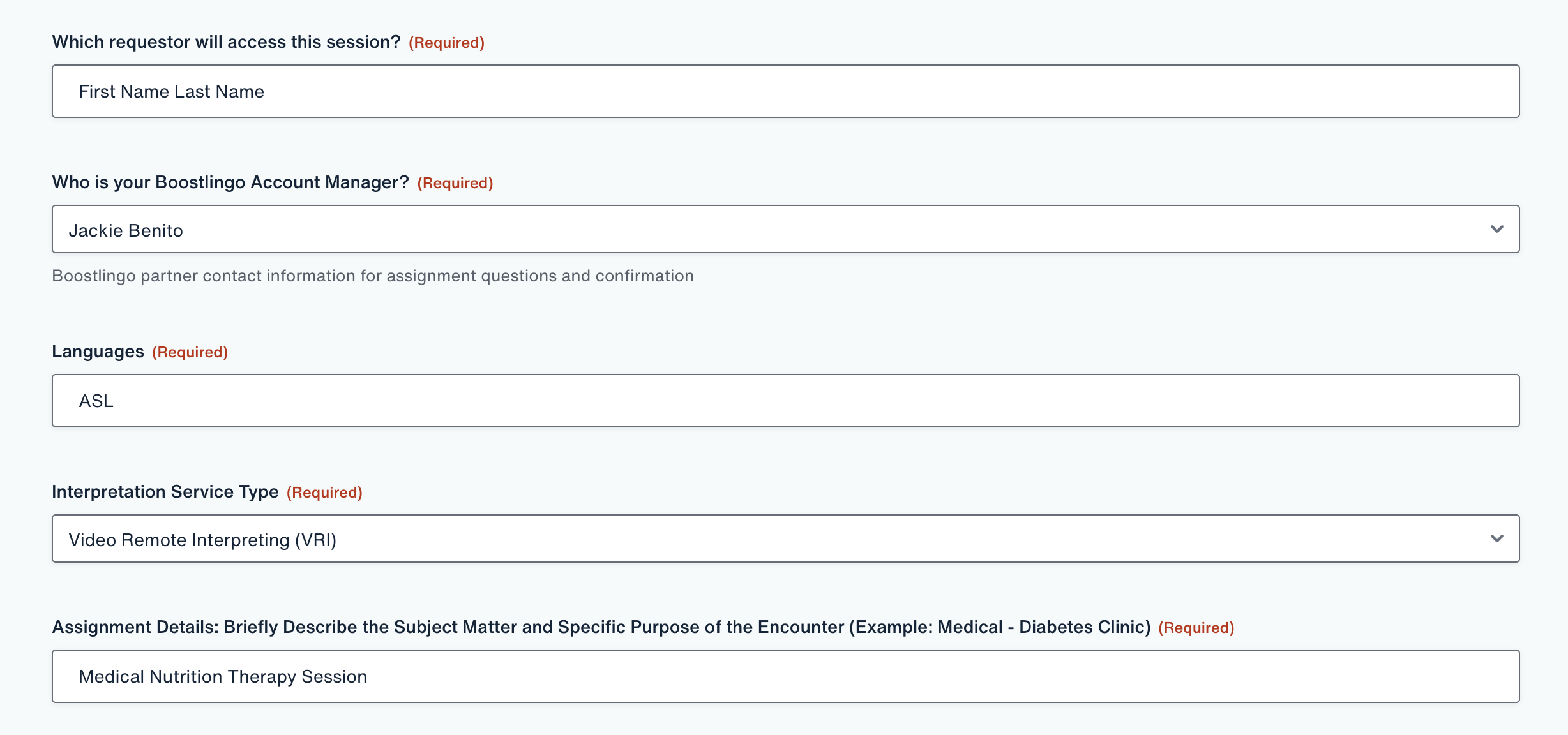
Type your name for Which requestor will access this session?
Select "Jackie Benito" for Who is your Boostlingo Account Manager?
Type "ASL" for Languages
Select "Video Remote Interpreting (VRI)" for Interpretation Service Type
Type "Medical Nutrition Therapy Session" and any other relevant appointment details for Assignment Details
Type "1 hour" for Approximate Duration of Call
Fill out the appointment date and time (note: must be submitted 2 days in advance)
Select "No" for Is this session a presentation or webinar that will be recorded?
Type "Zoom" for Does this call involve the use of a third party platform?
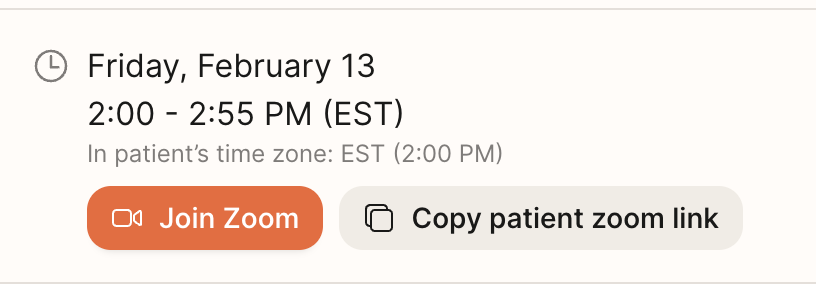
Provide the Zoom meeting link for Third-Party Dial-Out Number (Note: if you’re unable to add it at the time of booking, you can also send the link via email once the interpreter has been confirmed, you can copy the zoom link from your calendar)
Sign and Submit!
Step 2: Await Confirmation from the Language Access Team
After you submit your request, the BoostLingo Language Access Team will review it and follow up with you directly. You will receive a confirmation once your interpreter has been assigned. Please do not consider the request confirmed until you hear back from the team.
Step 3: Conduct Your Appointment
At the time of your appointment, the ASL interpreter will join via the link provided. They will facilitate communication between you and your patient in real time. Speak directly to your patient (not the interpreter) and allow natural pauses to ensure accurate interpretation.
Frequently Asked Questions
What if I need an interpreter with less than 2 business days notice?
If you have an urgent need for an appointment in <48 hours, please reach out to support@usenourish.com
How will I know my request has been confirmed?
The BoostLingo Language Access Team will follow up with you after reviewing your form submission. You will receive a confirmation once an interpreter has been successfully assigned to your appointment.
What link should I provide for the interpreter?
Provide the direct Zoom link for your appointment session. This is the same link your patient would use to join which you can access in your Portal Calendar.
What if I need to cancel or reschedule?
If your appointment changes, please notify the BoostLingo Language Access Team by replying to the confirmation email as soon as possible so they can update or cancel the interpreter assignment.
Additional Support
If you have any questions or need assistance, please reach out to support@usenourish.com