
Short-term goals
What are short-term goals?
Short-term goals replace “to-dos” and allow you to set clear, recurring goals for patients (daily, specific days of the week, or frequency). They are designed to be visible on the patient’s home screen, making them more top-of-mind and measurable, and come with push notification nudges to complete them.
Here's a quick side-by-side demo of the provider and patient experience (<2 mins):
What’s new compared to the old to-dos?
Ability to set frequency (e.g., daily, Mon/Wed/Fri).
New goal types like exercise.
Patients can check off or log progress directly in-app.
Goals are now prominent on the patient home screen and synced to their profile.
Push notifications nudge patients to complete goals if they haven’t done so that day.
Are there any new nutrients available as short-term goals?
Yes. In addition to existing nutrients (protein, fiber, sodium, calories, carbs, fat, cholesterol, hydration, etc.), we’ve added added sugar and saturated fat.
These two nutrients were prioritized because:
Added sugar is a key clinical lever for patients with diabetes and weight management goals, and is tracked according to USDA nutrition labeling guidelines. This includes sugars added during processing or preparation (such as table sugar, syrups, or honey) and excludes naturally occurring sugars in foods like fruit, milk, or vegetables.
Saturated fat is a top focus for patients with high cholesterol and heart health conditions.
Both nutrients are sub-categories of existing macros. Added sugar under total carbohydrates and saturated fat under total fat, and are tracked in line with USDA nutrition labeling standards. No subtraction or adjustment is needed
What happens to my old to-dos?
All previous to-dos have been converted into the new short-term goals experience as custom one-off goals. They will appear in your note and in the patient’s home screen as goals.
How are nutrient (macro) goals handled?
Previously, to-dos/short-term goals and nutrient (macro) goals were separate. With the new experience, nutrient goals now also show up as short-term goals patients see them alongside their other goals on the home screen.
Why this change:
Clinical best practice emphasizes that nutrient targets (protein, fiber, hydration, etc.) are just as critical to patient outcomes as behavior goals.
By surfacing them as short-term goals, we help RDs keep these targets top-of-mind in care plans and make them more visible to patients, supporting adherence and accountability.
Where do we customize nutrient goals/settings?
You can now edit these in the Goals section, either:
In a chart note goals section, or
From the patient’s profile → “Goals” tab
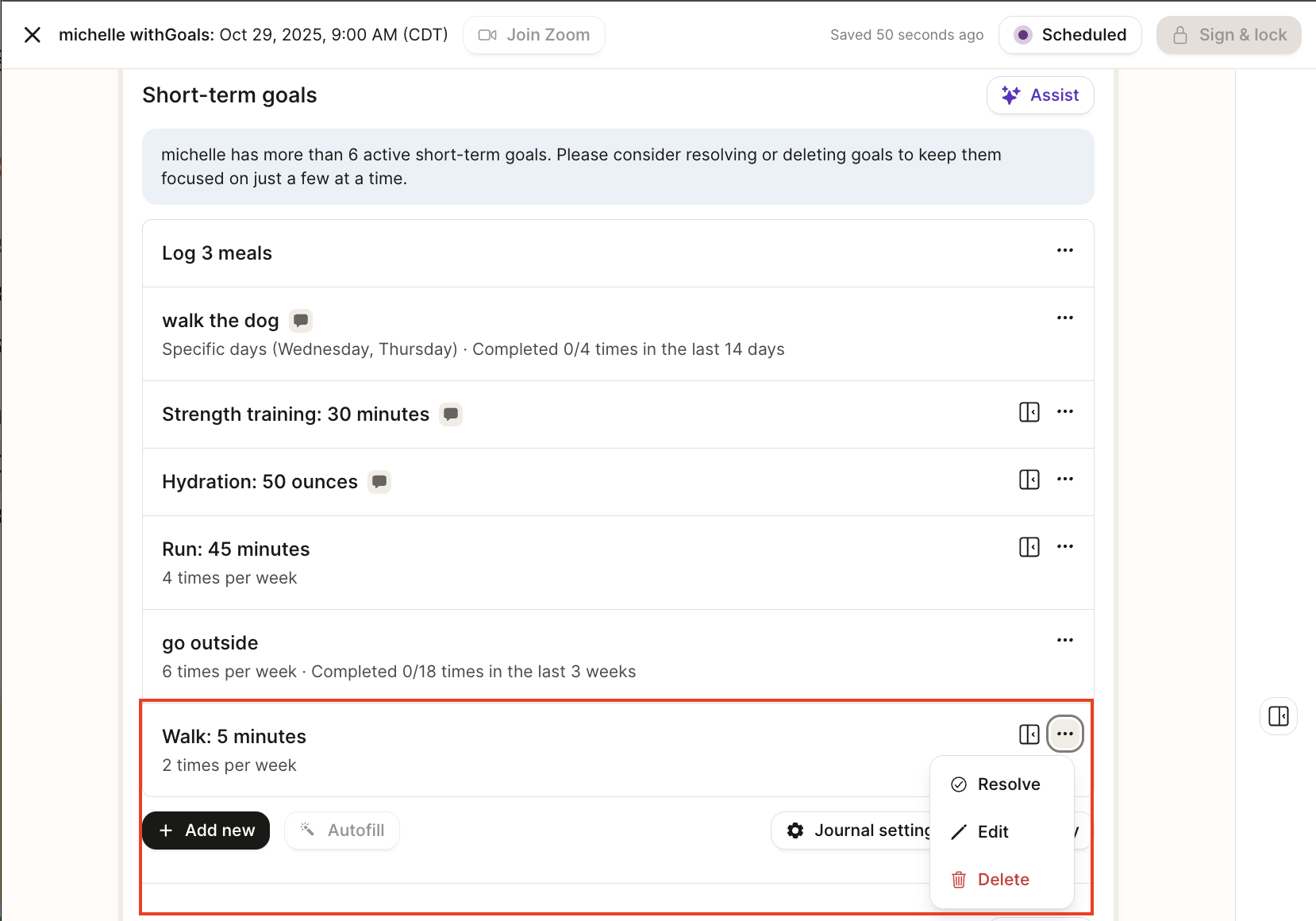
Look for the nutrient and use the "⋯" menu to edit them directly or "Add new." You can still edit nutrient and non-recurring goals from Journal Settings.
What do patients see?
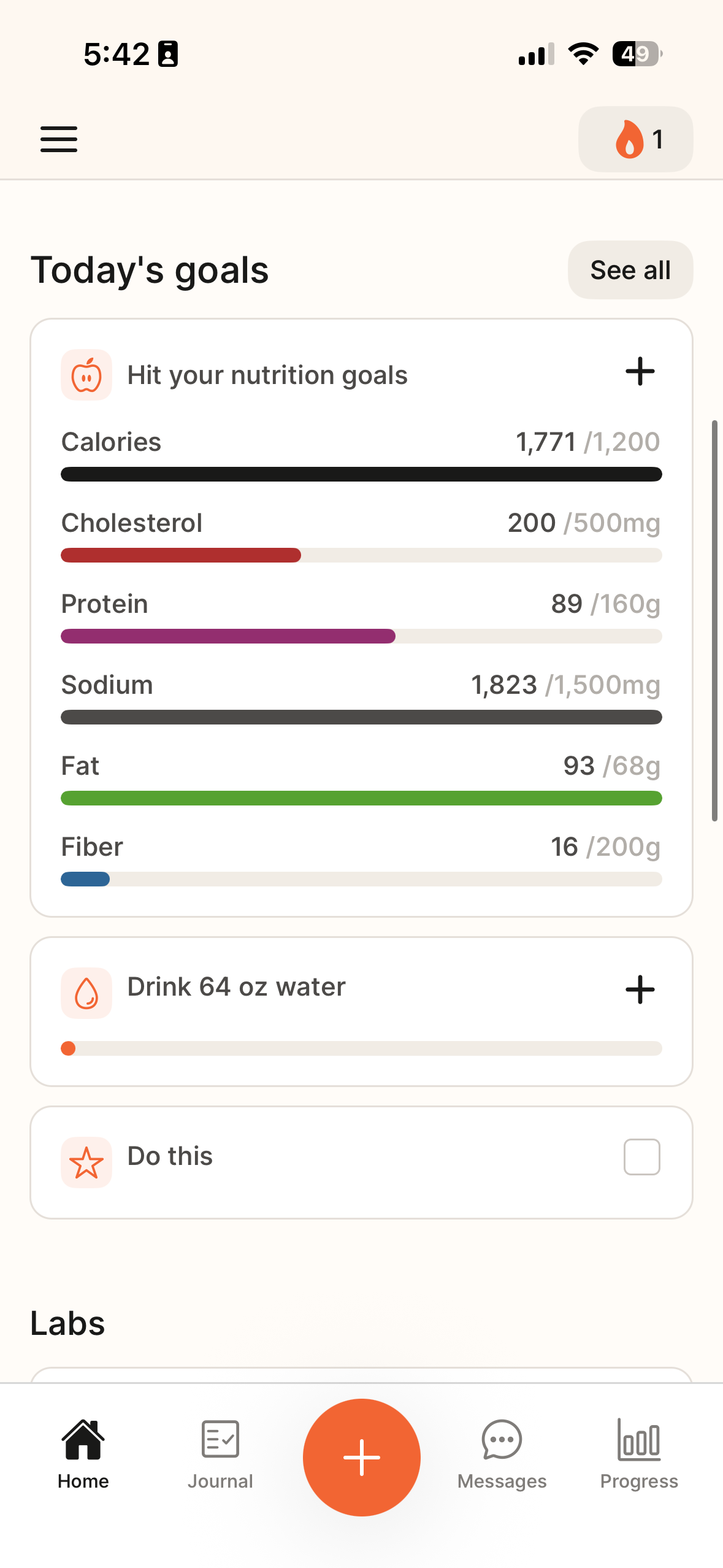
On the patient home screen, all active short-term goals (including nutrient goals) appear in a dedicated section:
Goals are shown prominently at the top of the app so patients are reminded daily.
Patients can check off or log progress directly from this view (e.g., mark “Walk 30 minutes” as complete, or see progress toward hydration).
Only custom goals can be checked off manually, and only patients can check them off. All other goal progress is tracked by logging.
Nutrient goals (calories, protein, fiber, hydration, etc.) display with progress bars so patients can see where they stand against their targets.
Can patients track nutrients that are not short-term goals?
Yes. Both RDs and patients can customize which nutrients are tracked from Journal Settings. Patients can choose to track nutrients even if they aren’t set as short-term goals (e.g., tracking calories without prescribing a specific caloric target).
Can patients create their own goals?
Currently, only RDs can set frequency-based short-term goals for movement and custom type goals. Patients can still log and check off progress. Patients can modify, resolve, or create goals for nutrients in their journal customize screen.
What does “Resolved” mean for goals?
Previously, providers could mark a goal as completed (all goals were “one and done”). Now, most goals repeat daily, and only patients can complete them. As a provider, you can only Resolve a goal, which ends it entirely and removes the daily targets from the patient’s app. Only resolve a goal if you want to permanently end it.
What are “Prefilled Goals”?
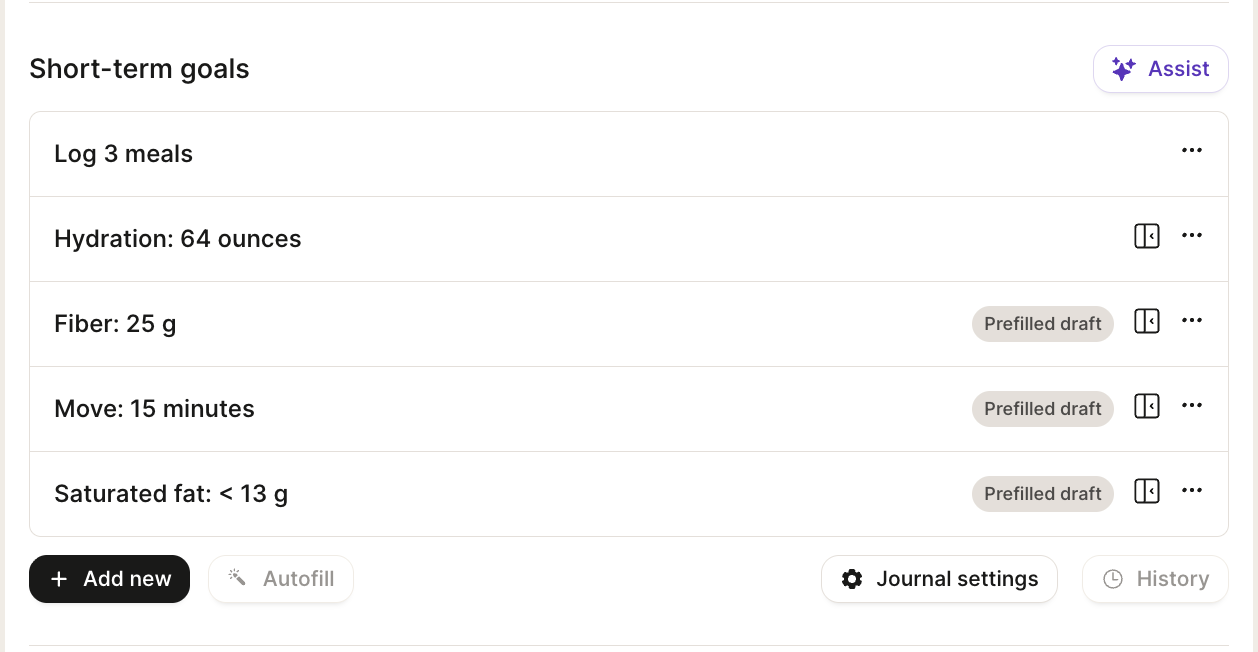
On a patient’s first chart note, you may see goals automatically appear as “Prefilled draft.”
These are based on the patient’s primary condition and are intended to provide a starting point for care recommended by our clinical team.
You should review, edit, or remove these drafts to ensure they fit the patient’s needs and treatment plan.
After the first note, the system does not continue auto-prefilling. Only the goals you add or update will appear going forward.
Treat prefilled goals as a time-saving template, but always customize them to align with your patient’s individual goals.
Can I set a frequency (e.g. 3 times per week) without tying them to specific days?
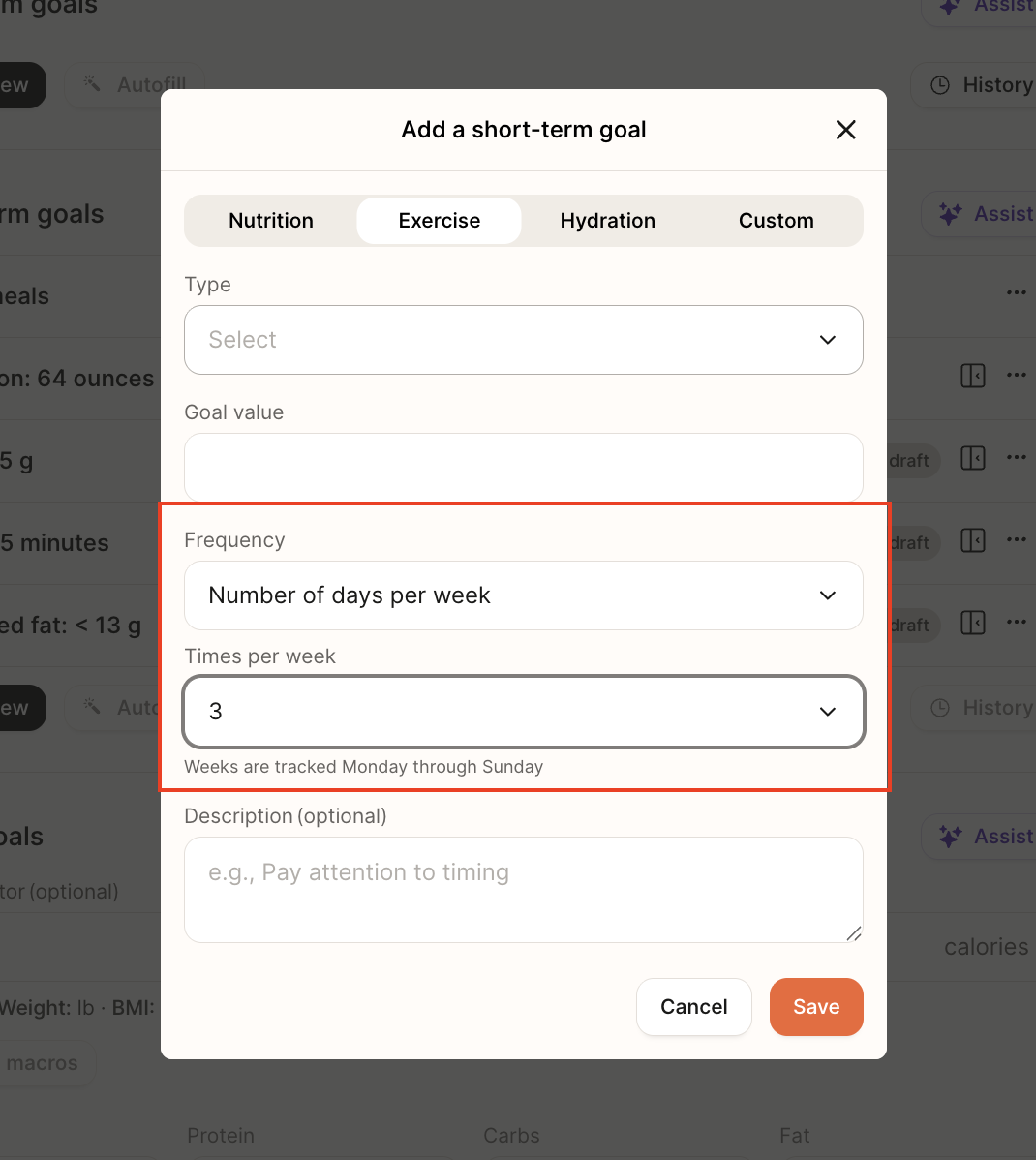
Yes! When creating a new movement and custom goals, you can select the "Number of days per week" option for Frequency, and select a value from the dropdown. In the patient app, these goals will show up every day unless they reach the goal for that week.
What push notifications do patients receive for their goals?
Patients get gentle reminders if they haven’t completed a daily goal. They'll only receive one push notification per goal type each day, sent at set times their local time, to help them stay consistent with their health goals:
Custom Goals: A general reminder at 8 AM that highlights one custom goal and how many more custom goals have, e.g., “Keep sweets in a drawer, not on counters or on top of the nightstand + 2 more”
Hydration: If the hydration goal isn't completed, a check-in at 12 PM, e.g., “You’ve got 20 oz to go today. Small sips add up.”
Exercise Goals → If the exercise goal isn’t completed, send a check-in at 5 PM, e.g., “You’ve got 15 mins left for your walk goal today. A quick session now keeps you on track.”
These notifications are currently built in and can't be customized. This is something we plan to add in the future.
How do I fix seeing a 55-character limit for a goal title?
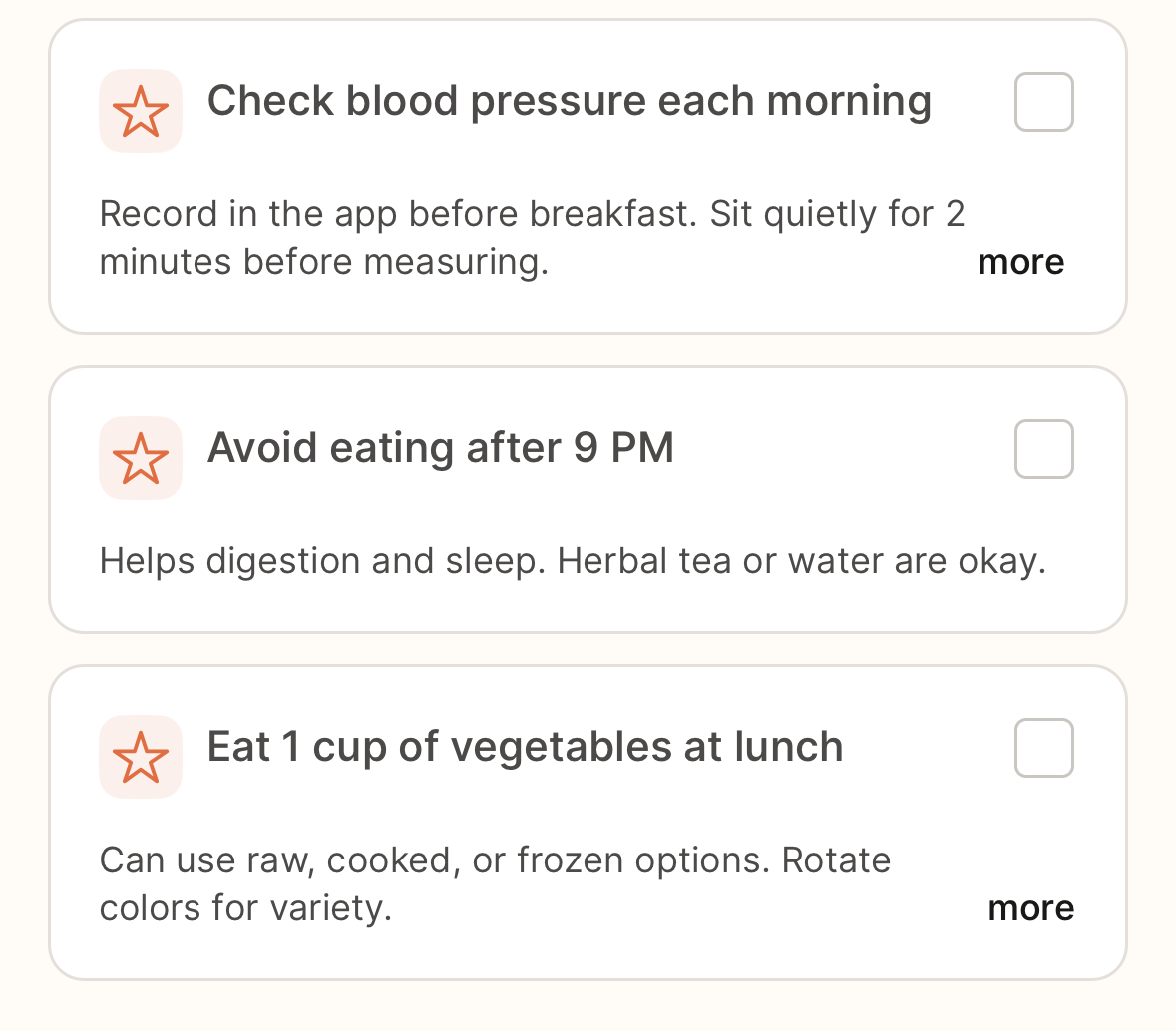
Goal titles are capped at 55 characters so they fit cleanly on the patient home screen and in notifications. Short, scannable titles are easier to read and more likely to be completed.
What to do: keep the title action-oriented and move extra context into Description (optional).
Example:
Title: “Eat 1 cup of vegetables at lunch”
Notes: “Can use raw, cooked, or frozen options. Rotate colors for variety.”
Why am I seeing “This patient has more active short-term goals than recommended."?
We intentionally add a banner if a patient has more than 6 active short-term goals. All nutrient goals count together as one goal. This does not block you from signing or locking a note. The limit is recommended because fewer, focused goals improve clinical effectiveness and behavior change; too many dilute attention.
What to do:
Prioritize the most impactful goals.
Resolve goals that are achieved or no longer needed.
Delete duplicates/overlaps.
Where: use the ⋯ menu on the right side of a goal to Resolve/Delete.
If I delete a goal, will my client still see it in their journal?
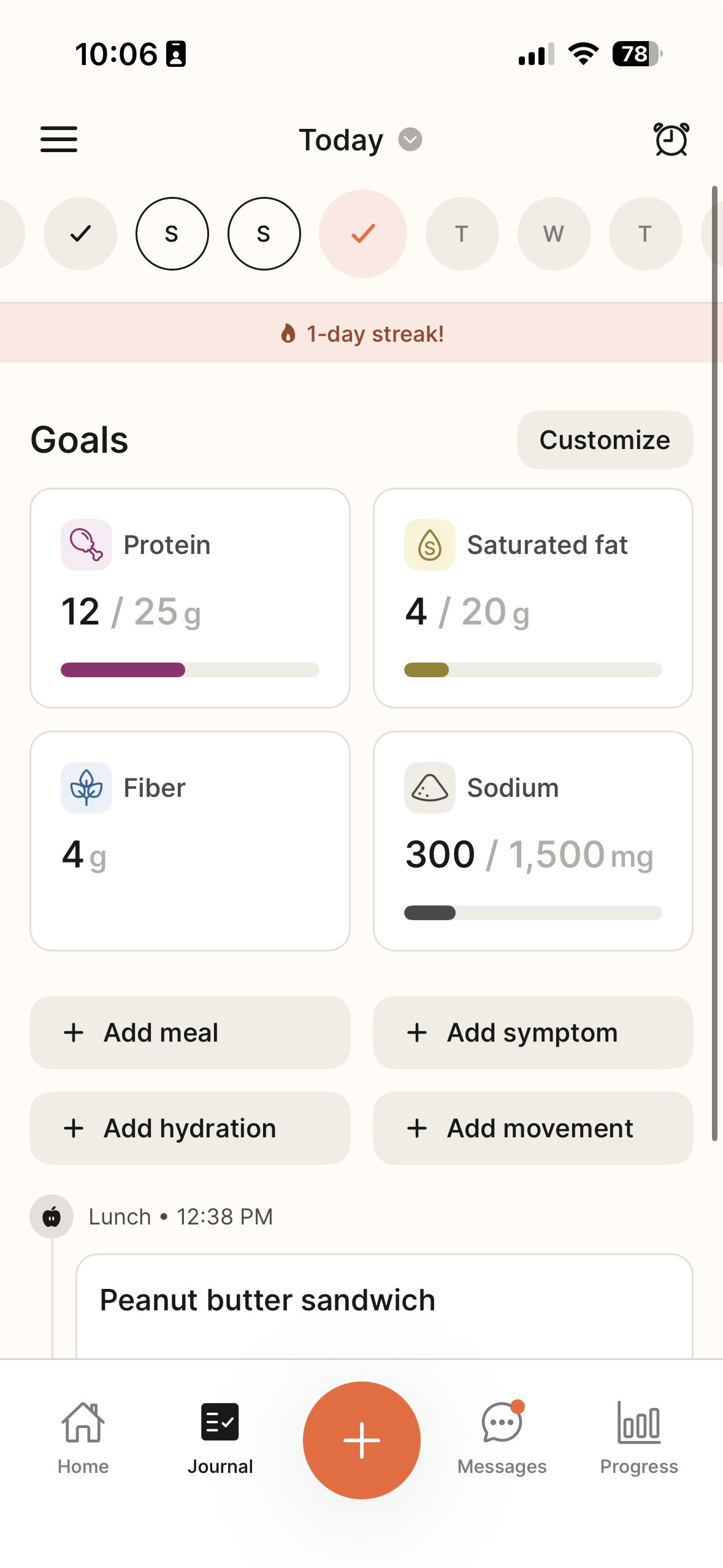
When you delete a goal, your client will still see the related data in their journal. It just won’t appear with a goal or progress bar. This helps keep their view clean while still showing everything they’re tracking. For example, if you deleted Fiber, the patient would see how much Fiber they've had for the day without the progress bar in their Journal:
Can I still edit nutrient goals like before?
Yes. You can still edit nutrients, including calories, macros, and micronutrients, from Journal Settings.
We’ve combined nutrient tracking and short-term goals to give patients a single, clearer view of their key health targets. When nutrients are active, they now appear as short-term goals, but you can still customize their visibility, order, and some goal values from Journal Settings.