
Washington Licensure Guide
General information
A background check is processed for every applicant. DOH will need to obtain a fingerprint-based background check with the Washington State Patrol and FBI. You will be contacted by DOH after you submit your application, and it is your responsibility to complete the required steps to submit this background check.
Credentials must be renewed every year on RD birthday
The initial credential will expire on RD birthday. If the initial credential is issued within 90 days of RD birthday, your renewal will be due on your next birthday.
Process Overview
Create account
Step 1: Create a Secure Access Washington Account
Go to the Secure Access Washington (SAW) website.
Select "Sign up." If you already have a SAW account, sign in with your user ID and password you previously created and continue to "Step 2" below.
Follow the steps to register
The system will send you an email confirming the registration.
Select the link in the email that follows this statement: “To activate your new account, select the following link." This step is required to complete the registration process.
If you experience problems with the SAW site, contact WATech at 855-928-3241 or email support@watech.wa.gov.
Step 2: Create a Link to the Department of Health Healthcare Enforcement and Licensing Management System (HELMS)
Log in to your SAW account using your SAW user ID and password you previously created.
Select the “My Services” option along top menu, then “Add Service”
Add by Agency - select “Department of Health”
Scroll to “Health Professional and Facility Licensing (HELMS)”. Select “Add.”
Click on “My Services” and choose “Healthcare Enforcement and Licensing Management System (HELMS).”
Choose MFA Method - select first option (email)
select “Enter Emailed Code”
Code emailed to inbox, enter code to verify account
Select “Remember device”
Select “Continue to Health Professional and Facility Licensing”
Privacy Agreement
Locate your account
Complete the information:
Last name, date of birth, and social security number (SSN) are required fields.
Click “Search.”
If RD doesn’t have a match or have never had a state of Washington credential, select “No.”
If RD does have a partial match, you'll be asked additional questions. Select an answer, then click “Validate.”
If RD has a full match, you'll be asked to update the personal information on your profile page. You'll not be able to update any grayed-out field. Once complete, click “Save.”
My Profile Information
Add name, DOB, Gender
Mailing address - Validate
Email Address
Save
Complete application
Once logged in to HELMS - click “Profession Credentialing”
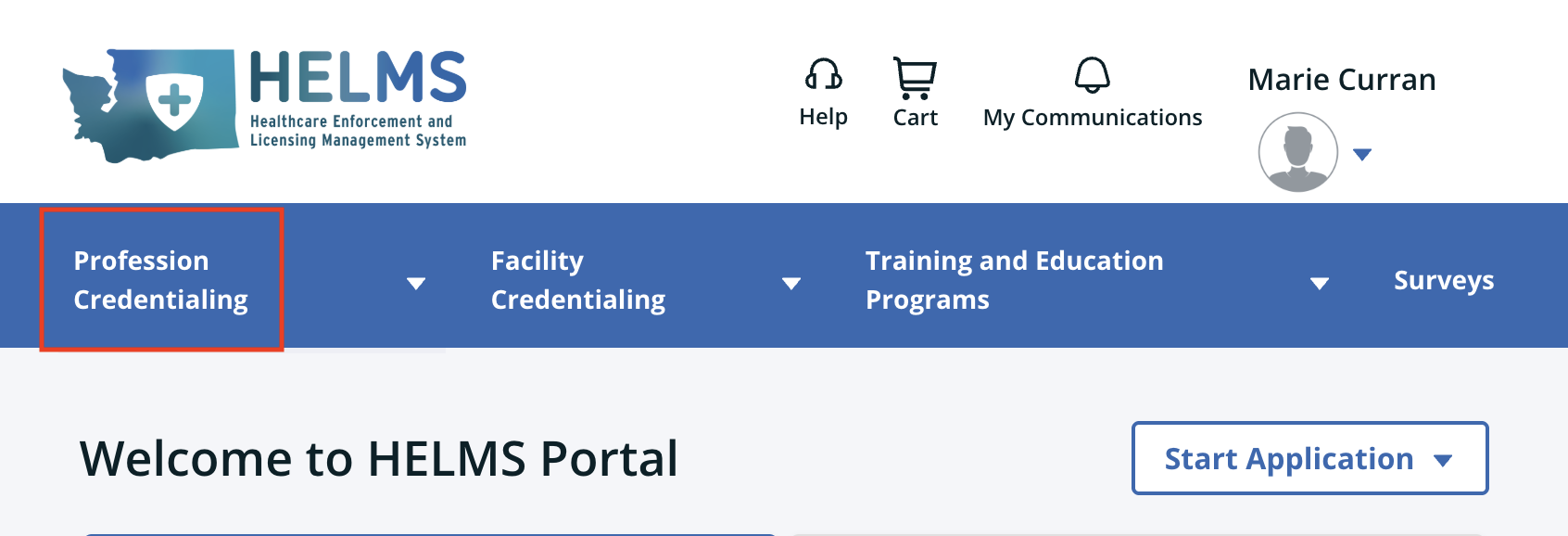
Select Start Application - Professional Credential
Search License - select “Dietitian Certification”
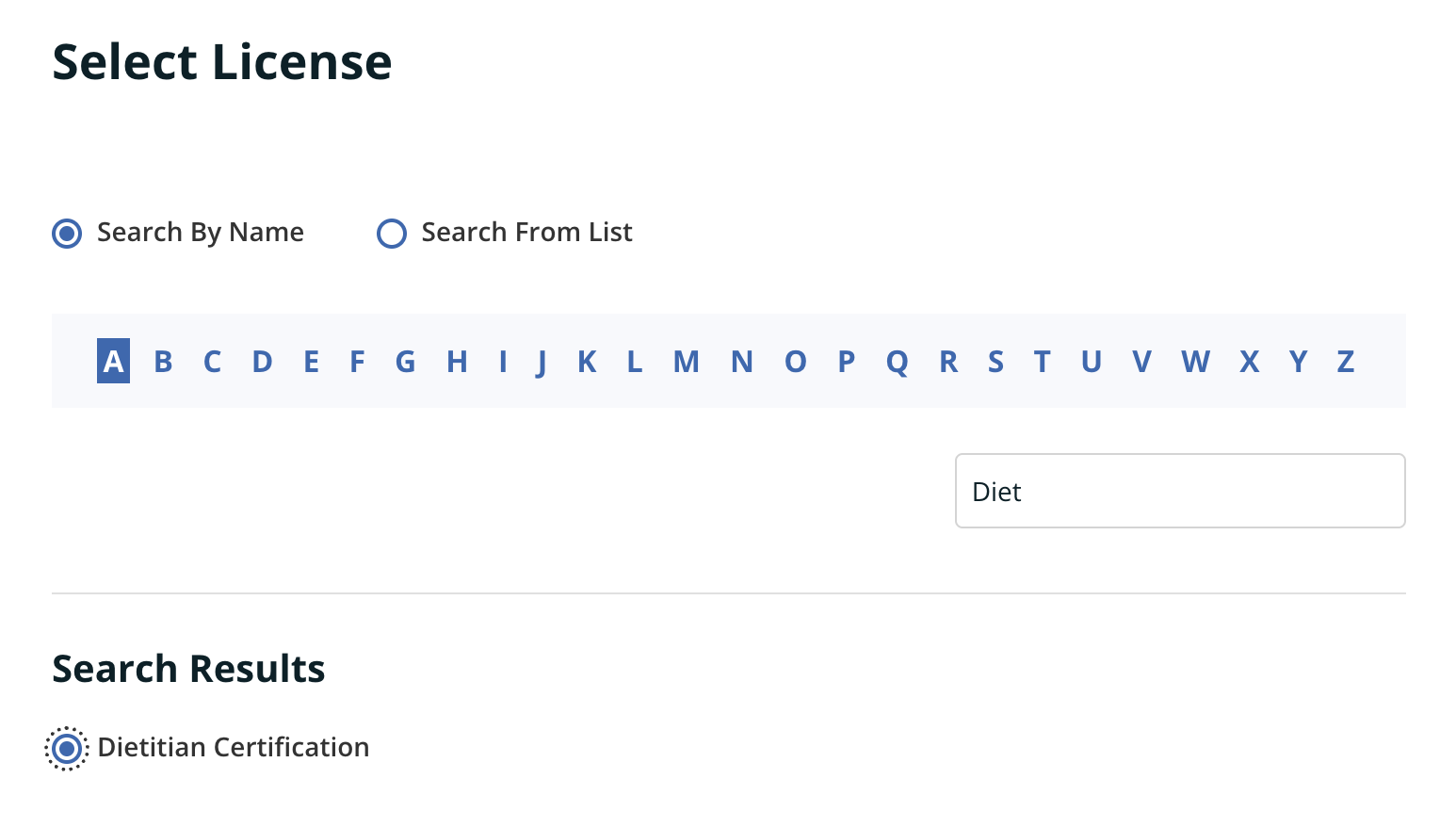
Prerequisite information - Continue
Demographic Information
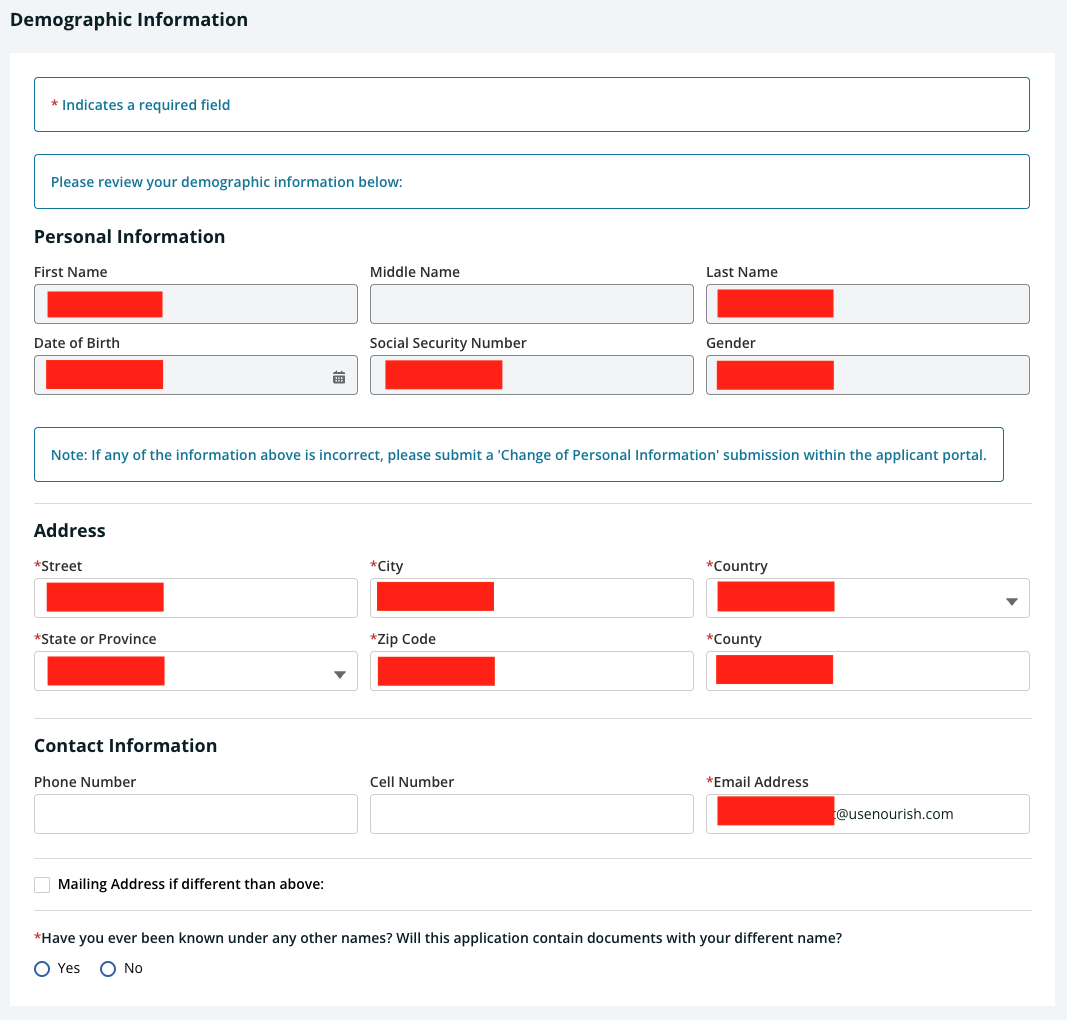
SSN required, if not added on this screen go back to “My Profile” > Edit > Add SSN
Demographic Survey (Click link on #3)
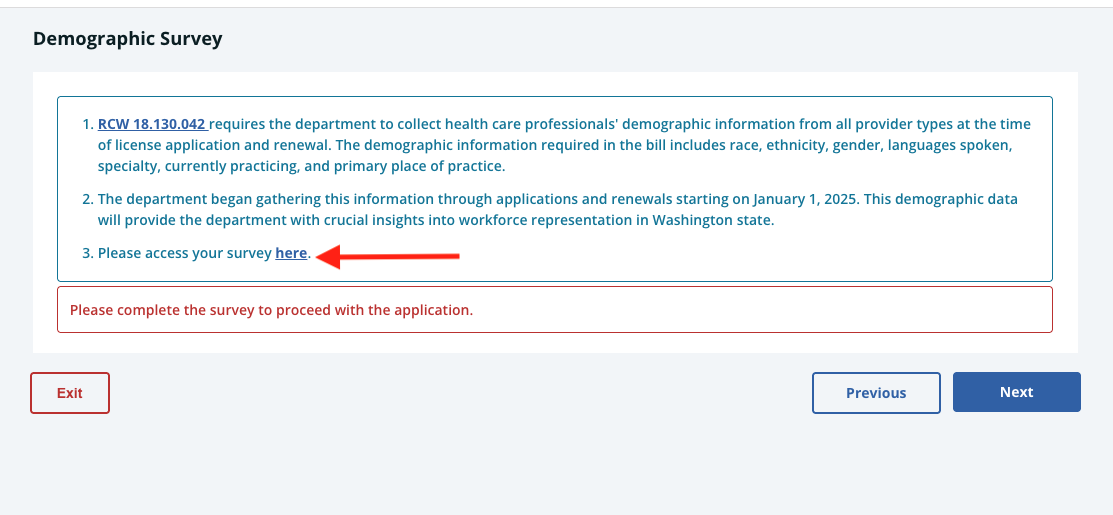
Survey linked HERE
Captcha > Begin Survey
Survey screenshots below:
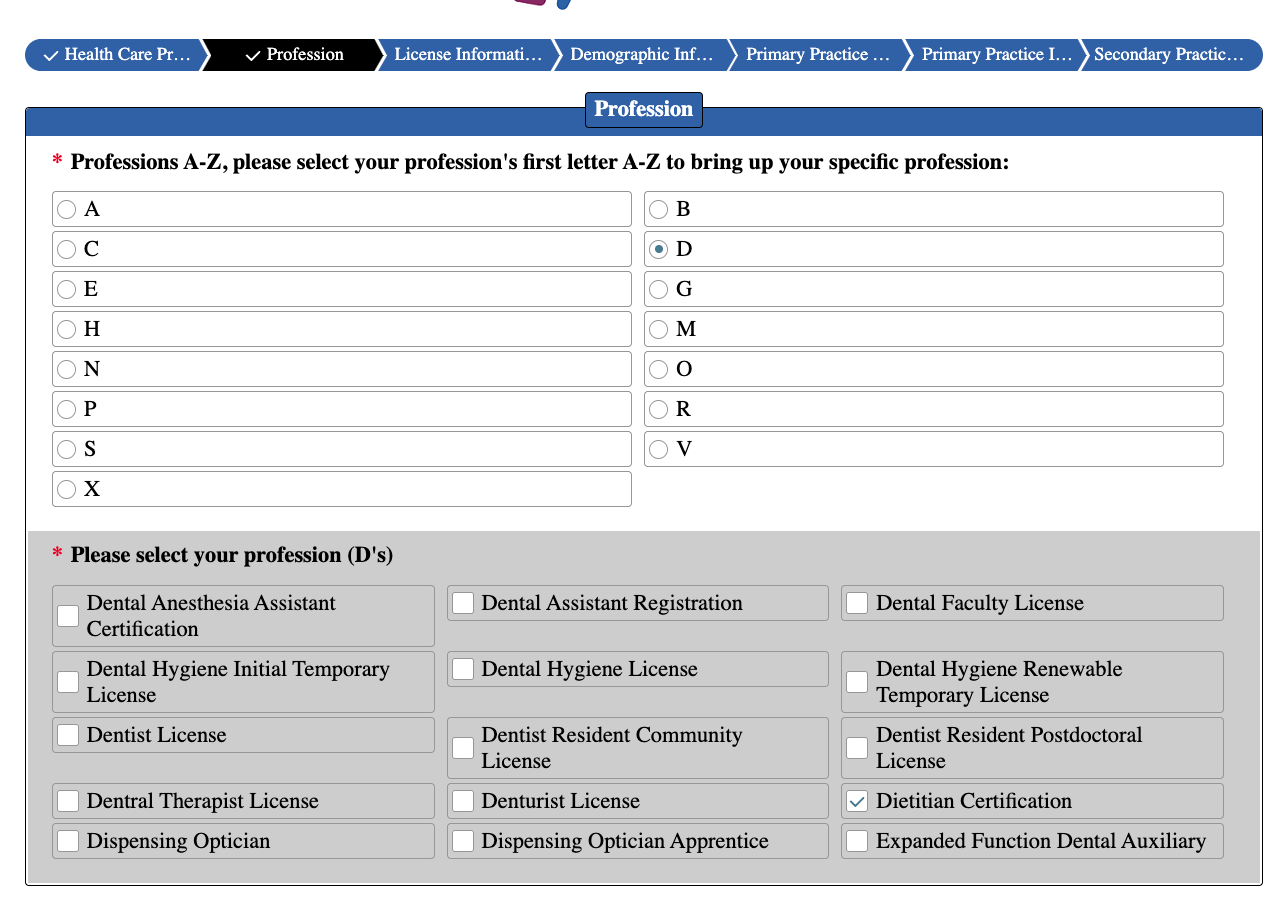
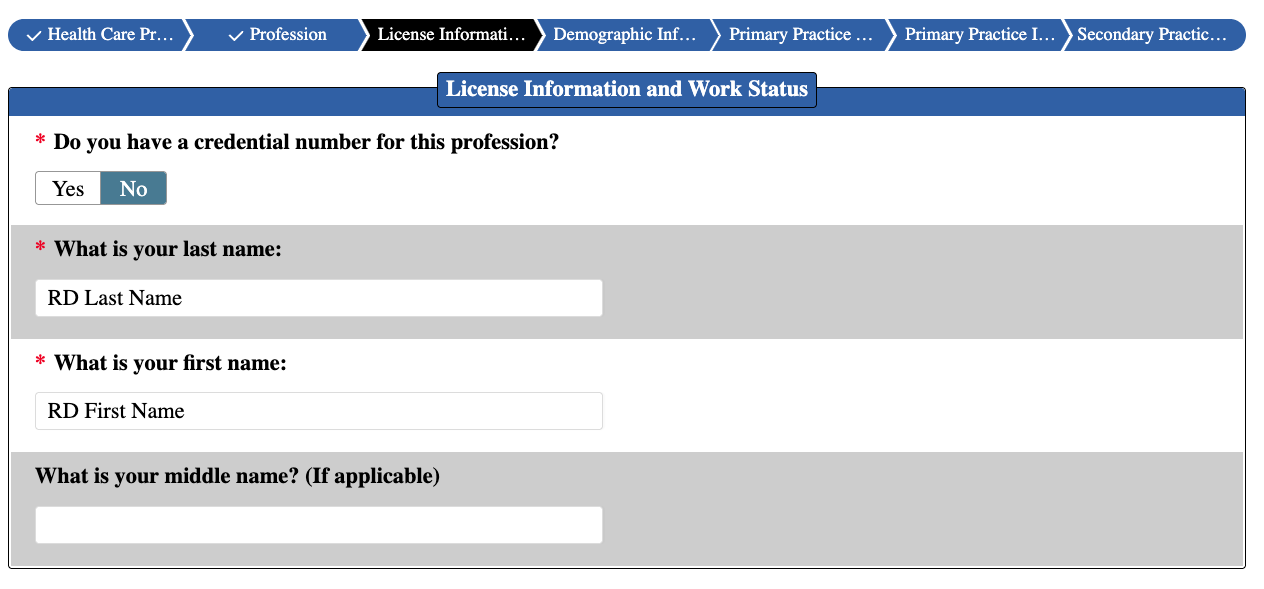
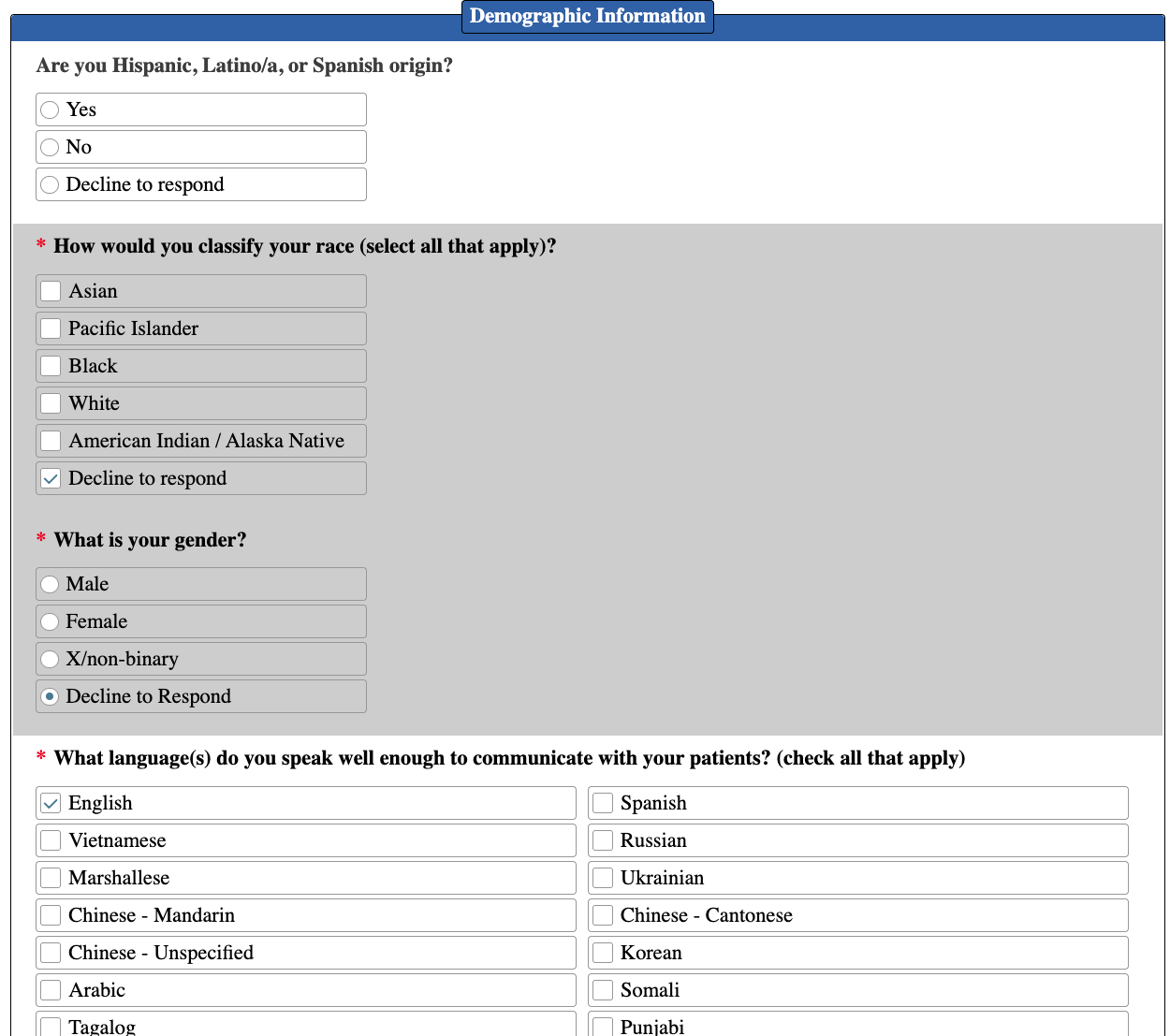
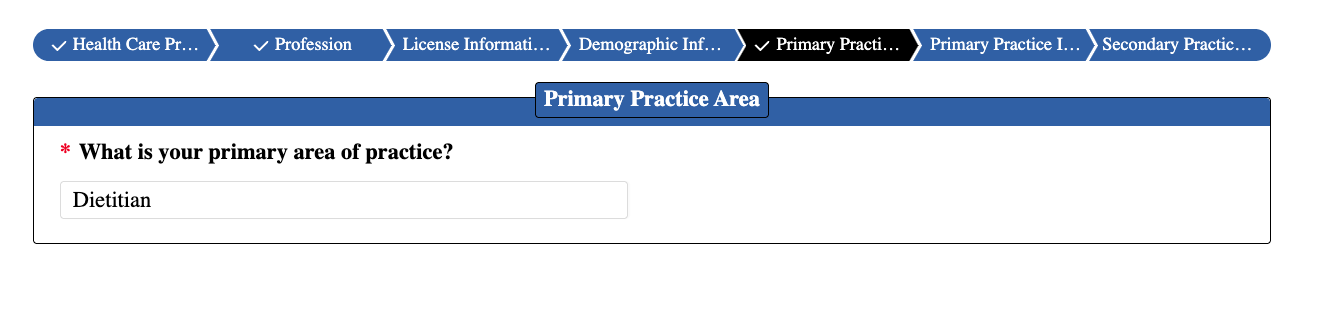
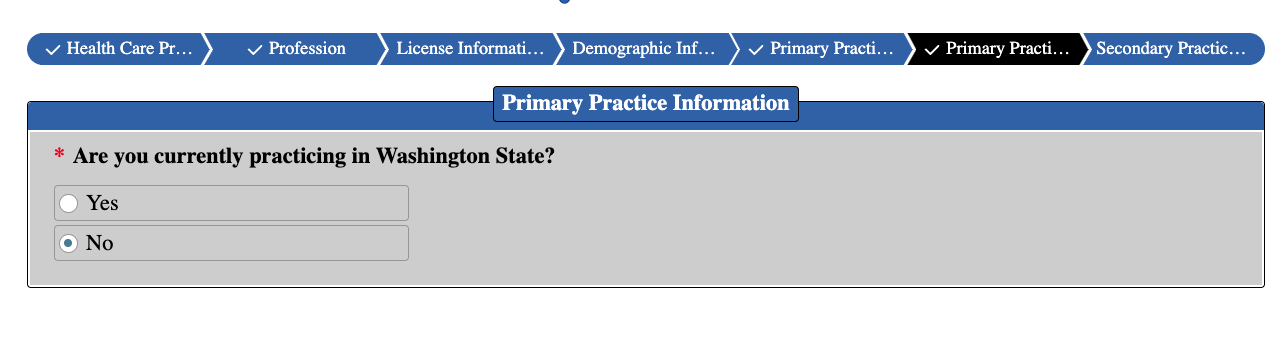
SUBMIT!!
Personal Data Questions
Responses are required for each question:
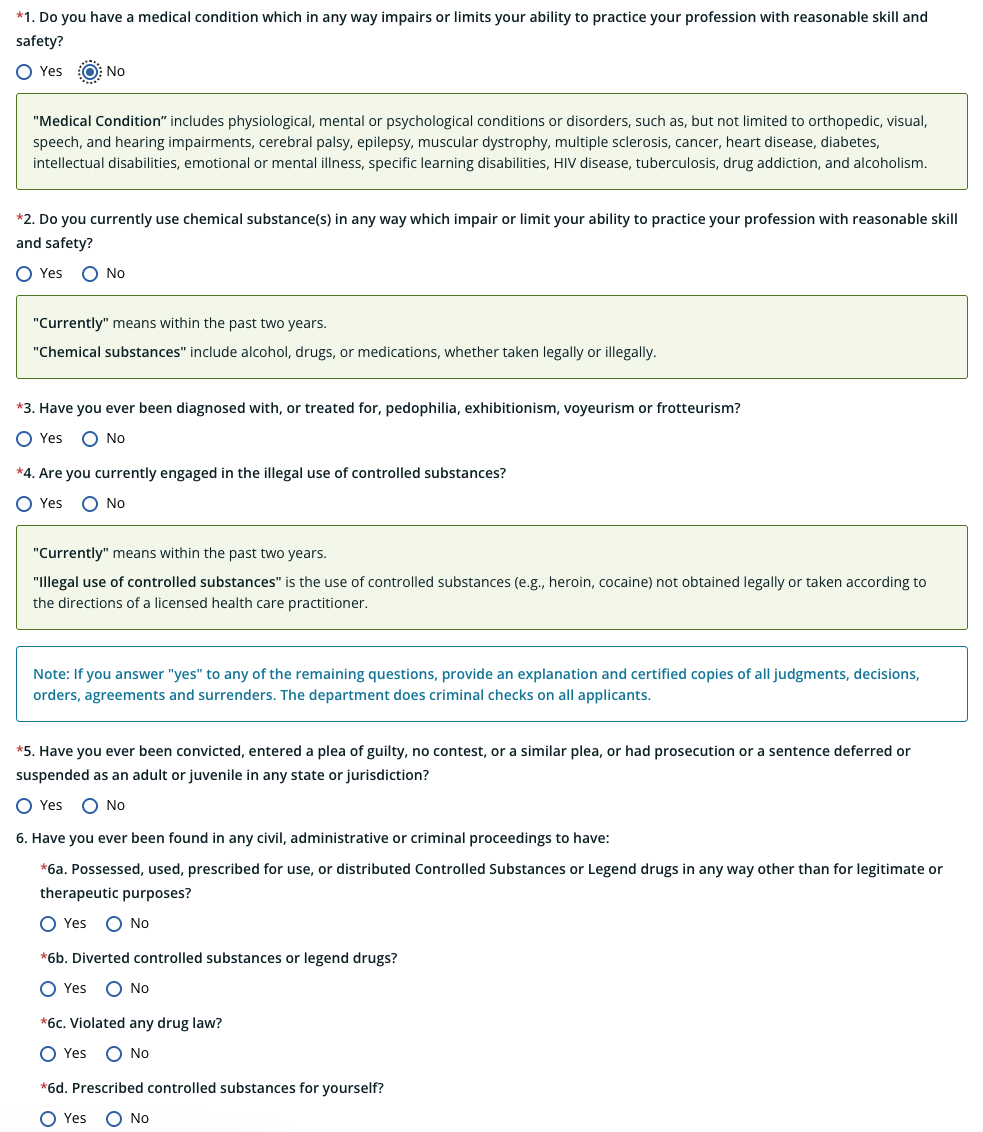
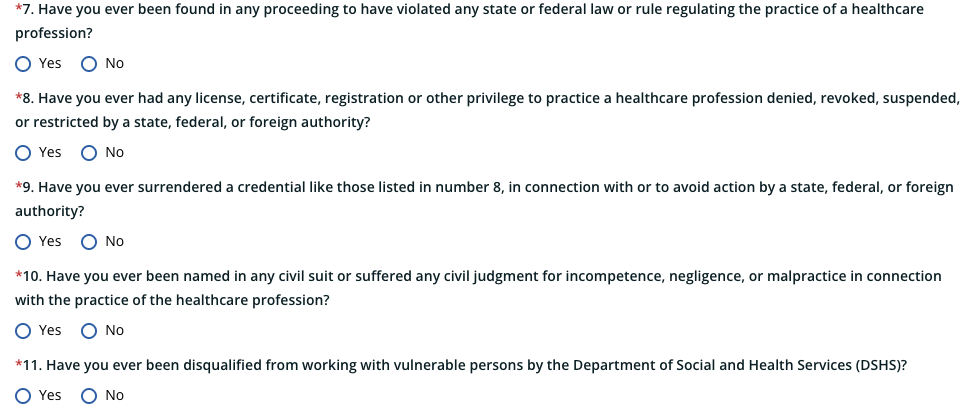
National Provider Identifier Number
Add NPI
Military Spouse/etc.
Other License, Certification, etc.
If you have Red State license in other states, please select “Yes” and list here
License Verifications are required (Request form linked HERE)
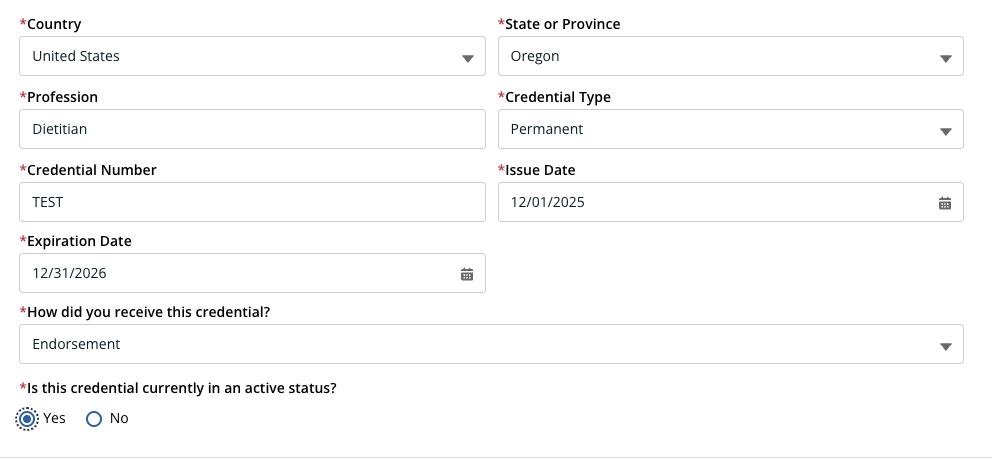
Training & Education
Add undergraduate and graduate level education
Official transcripts indicating the degree and date granted, must be sent directly from college/university to the WA Department of Health
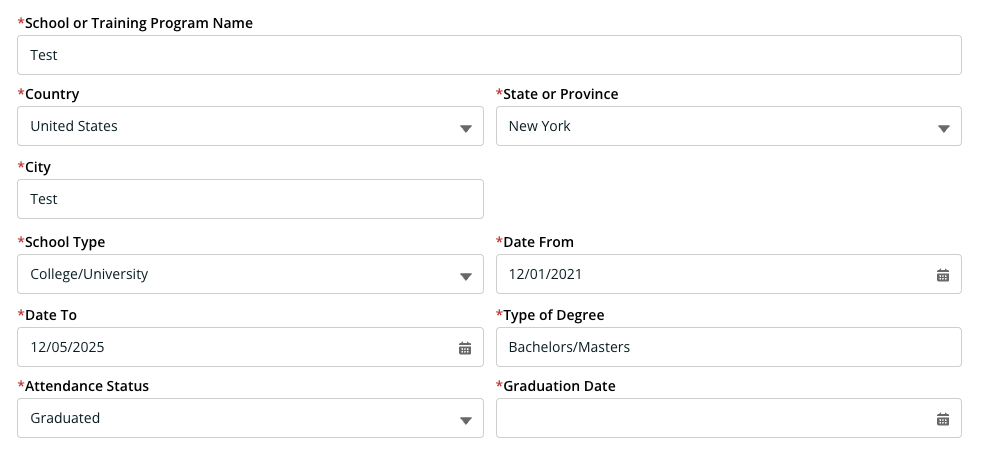
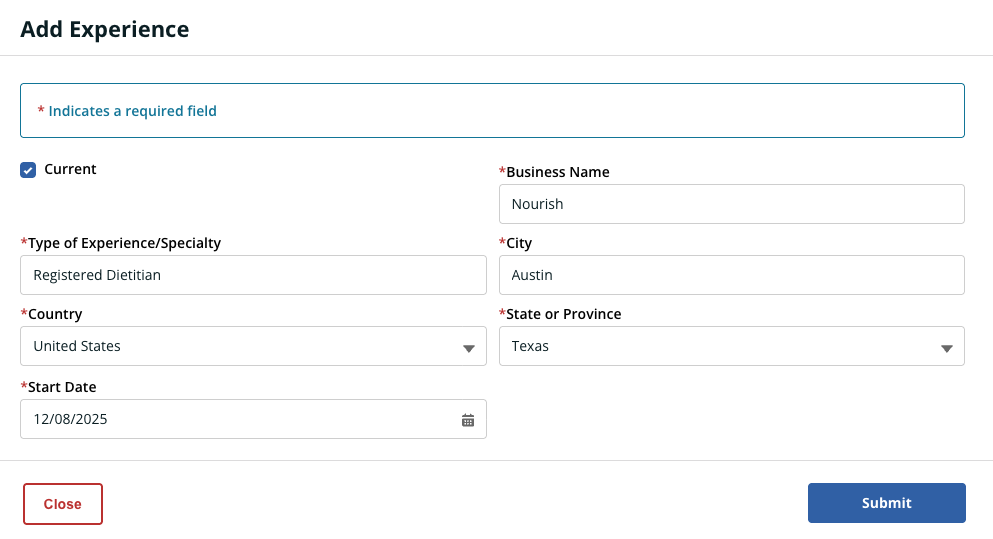
Experience
List all employment history in CAQH, starting with Nourish
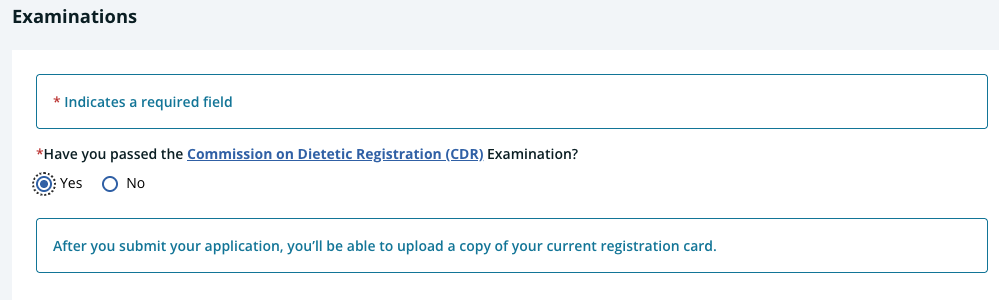
Examinations
Supporting Documentation
upload CDR Card
Additional Information - Next
Attestation - “I agree” >> Save & Next
Review
Payment - Application Fee: $81
License Verification required
After you submit application, print the Out-of-State Credential Verification Form. Once printed, please send to the appropriate out-of-state authority and ask that they follow the instructions, complete the verification, and return to the WA Department of Health.
License Issued
When you receive notice that your license is approved, please update your new license to the Nourish Provider Portal.
Education Transcripts required
Official transcripts indicating the degree and date granted, sent directly from college/university to the WA Department of Health are required for license application
Directions:
Identify the correct office at the University
Most universities have a Registrar’s Office or Office of the Registrar that handles transcript requests.
Some universities outsource transcript requests to services like Parchment, Credential Solutions, or National Student Clearinghouse.
Tip: Check university’s website under “Registrar” → “Transcripts / Verification / Records” for exact procedures.
Gather Information :
Full name used while enrolled
Dates of attendance
Degree(s) awarded and graduation date(s)
Address or recipient info (Washington Department of Health)
Choose Delivery Method
A. Electronic (Preferred)
Many universities can send secure electronic transcripts directly to the licensing board via email or portal.
Usually faster and often cheaper than paper.
Email:
B. Paper / Mail
Request a sealed official transcript.
Provide the recipient’s address exactly as listed by the licensing board:
Complete the Transcript Request Form
Fill out online or paper form completely.
Specify: Purpose = Licensure / Professional Board Submission
Include payment (usually $5–$15 per transcript, varies by school)
Verify Processing Time
Typical processing: 3–10 business days for electronic, 7–14 business days for mailed transcripts.
Some universities offer expedited shipping for additional fees.
Confirm Submission / Tracking
If electronic: you may get a confirmation email from the transcript service.
If mailed: ask for tracking number to ensure delivery
Follow up with the Washington Board if needed to confirm they received it.
Fingerprint Process
A few days after submitting the application you will receive an email from the board with Fingerprint instructions
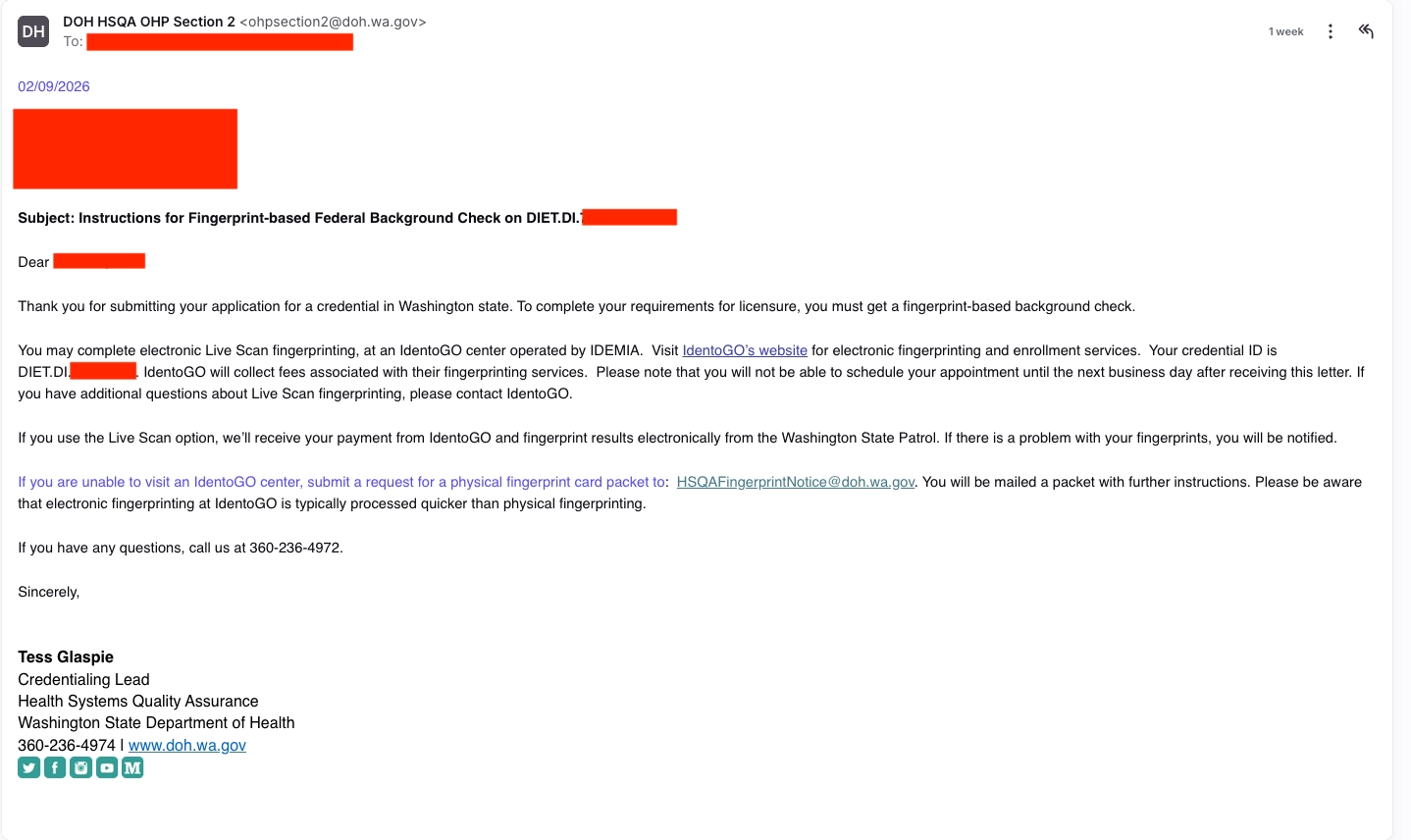
Option 1: LiveScan via IdentoGO - go to option!
Visit wa.state.identogo.com
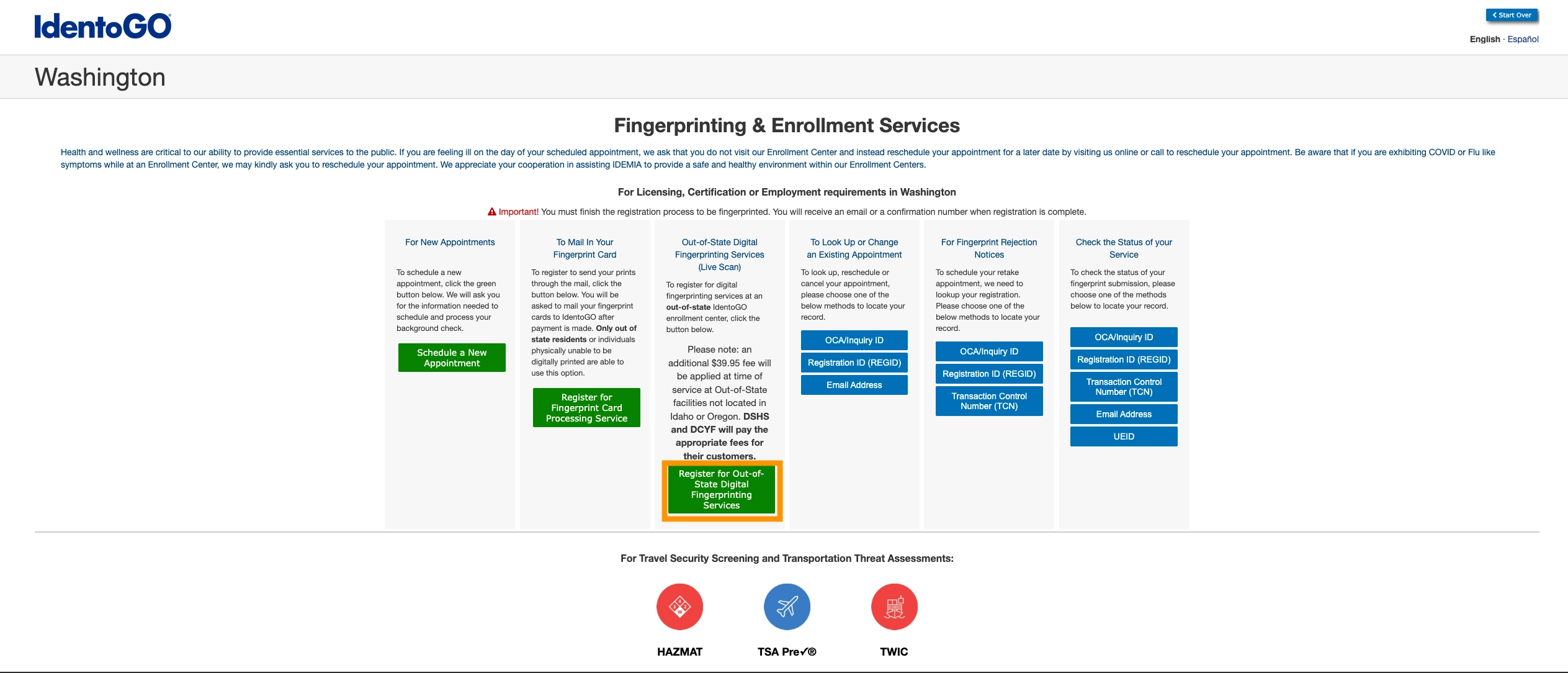
Select “Out-of State Digital Fingerprinting Services (Live Scan)”
Agency/Applicant type select “Washington State Department of Health (DOH)
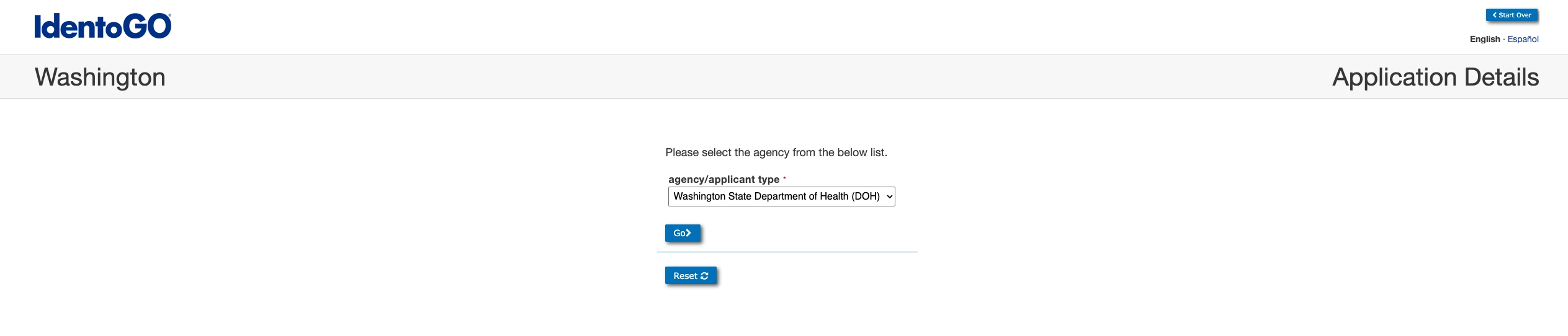
then click “Go >”
Person/employee id will be “DIET.DI.XXXXX” that is listed in the email from the board
Enter RD’s Date of Birth
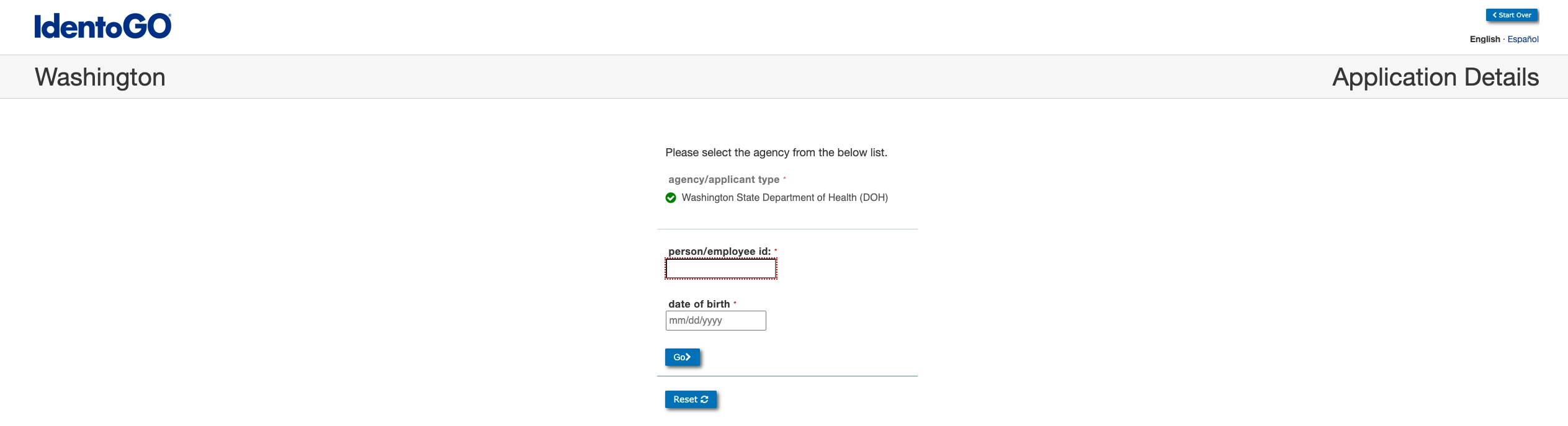
then click “Go >”
Confirm that the name that comes up on the pop-up is the correct Name
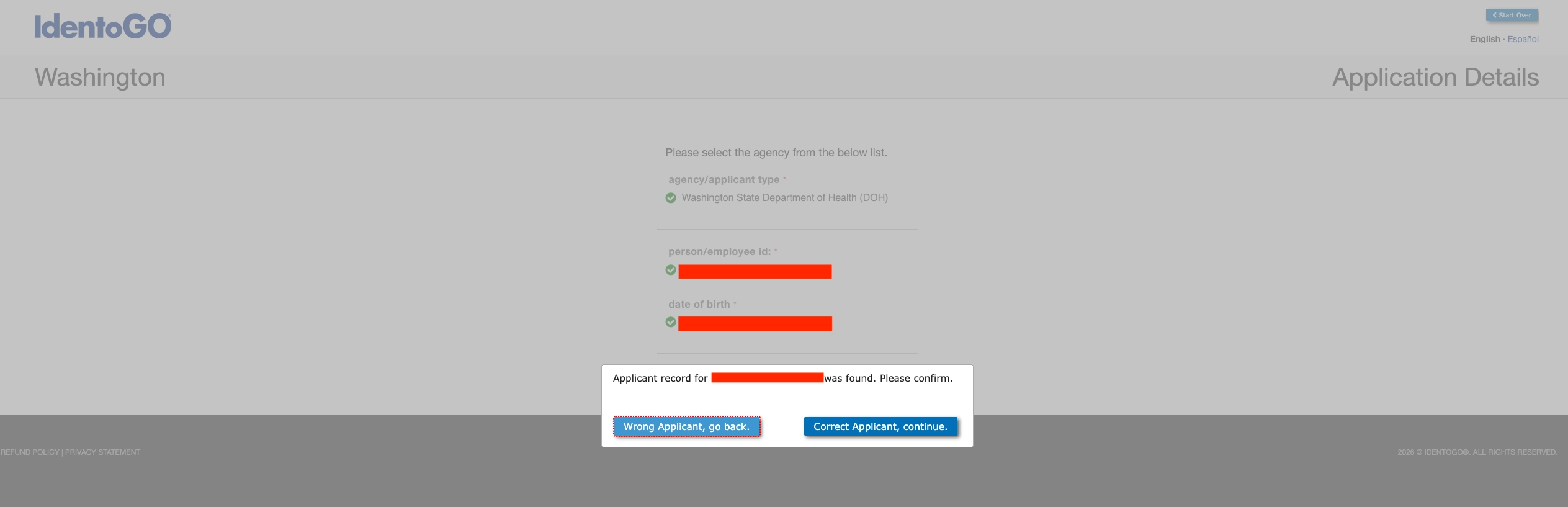
then click “Correct Applicant, continue”
Privacy Rights
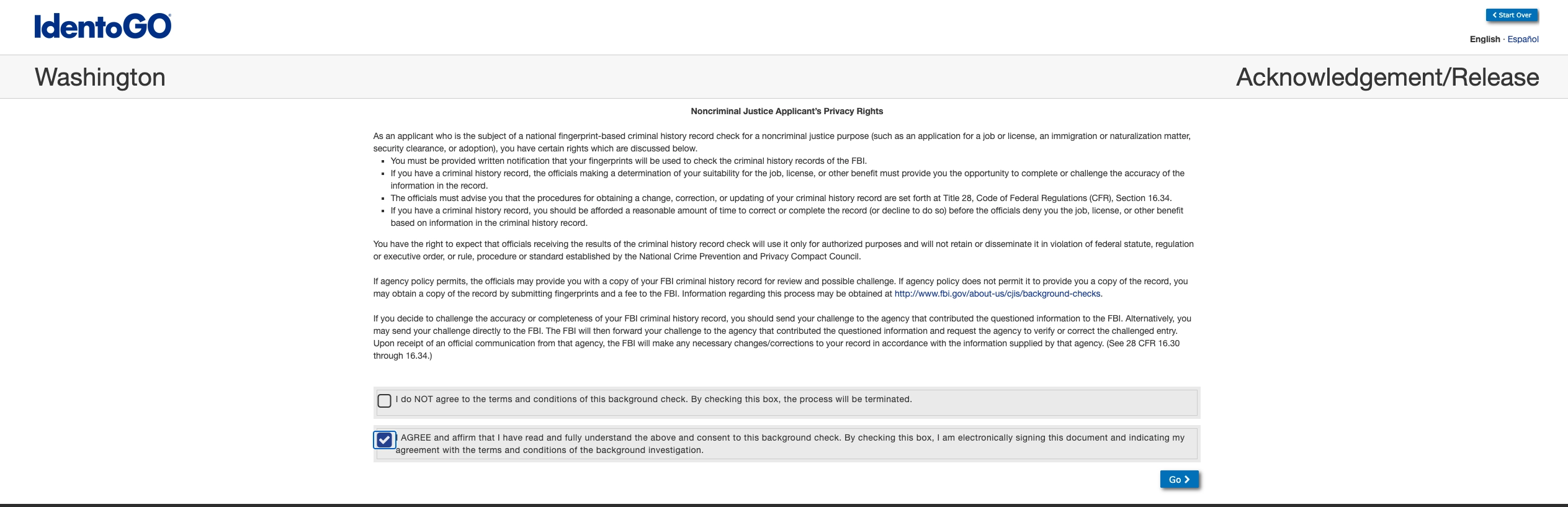
select “I AGREE…” then click “Go >”
To find the nearest location enter your zip code
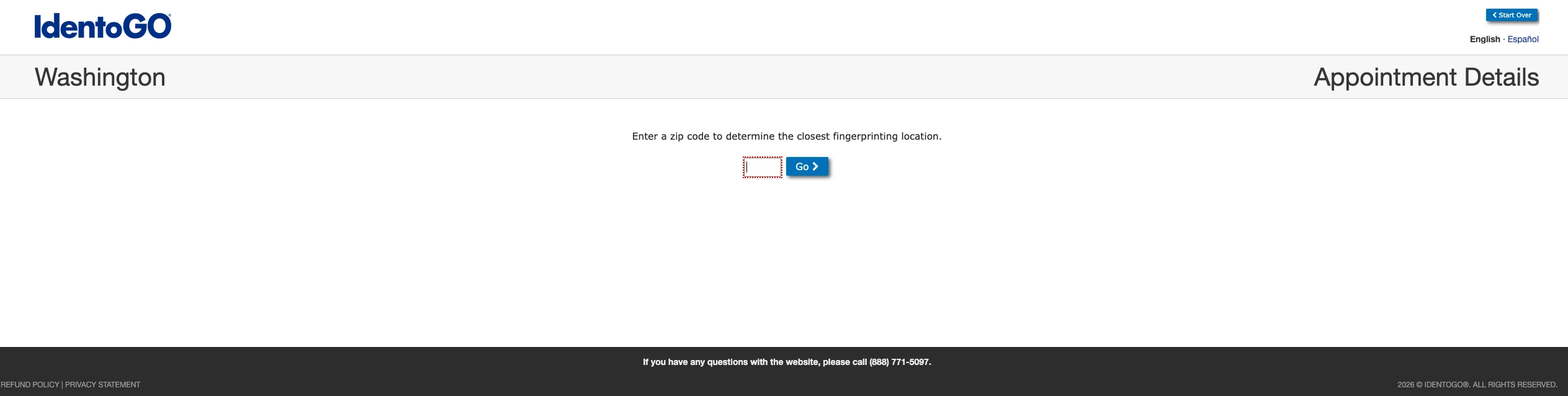
when you find a location, date, and time that works for you select “Schedule”
Applicant Information
Enter information making sure all information is accurate and up to date.
Information Verification
review all information again
if all information appears correct then click “Go >”
Payment Collection
Pay Onsite (At appointment) or Pay Online Now
Option 2: Physical Fingerprint Card Packet
Step by step Instructions are in progress
Reinstating expired WA licenses
Dietitian Expired Credential Re-Activation Packet
If RD has existing WA DOH account, request login information to complete the reactivation online via the portal