
Issues with Zoom access or updates
Issues Accessing Patient Appointments:
If you are having issues accessing your patient appointments from your Provider Portal or if Zoom is asking for the host to sign in, you can try sending the patient a Google meet video instead.
Issues Accessing Nourish Meetings:
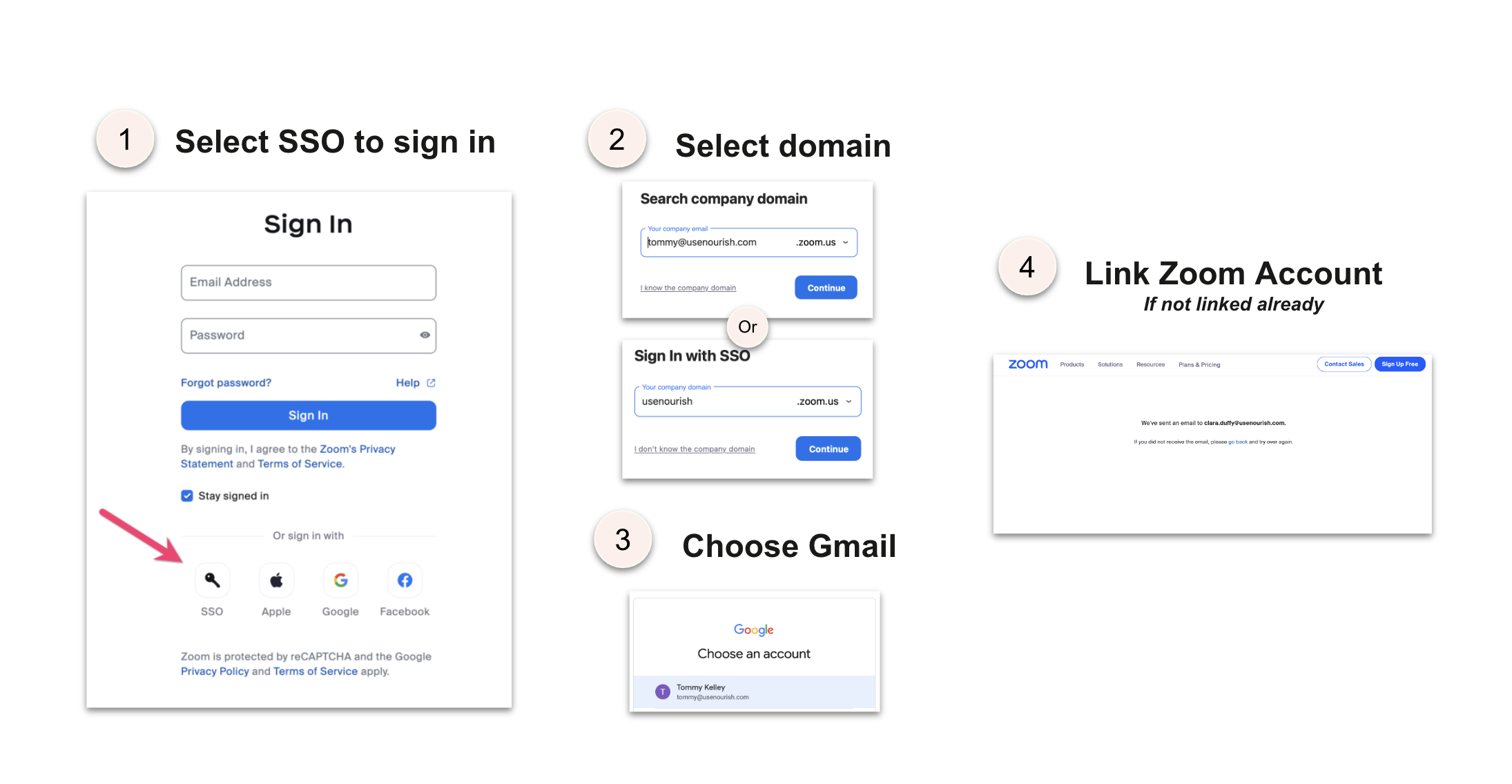
To log into company meetings, you must be logged in to your Zoom account. To log in to your zoom account, you have to use SSO, or Single Sign On.
If you are getting an error message after selecting SSO, remember that you must be logged in to your Nourish email on your web browser that the SSO opens into.
Updating Zoom:
To make sure AI Scribe works smoothly, please take a moment to update your Zoom app to the latest version.
Instructions:
Open Zoom
Click your profile picture (top right)
Select “Check for Updates”
If an update is available, follow the prompts to Install the latest version of Zoom. If you see “You are up to date”, no action is needed.